
I’ve been gaming on PlayStation for years and I still meet people who pay for PlayStation Plus but have no idea what they’re actually getting.
You’re probably using it to play online. Maybe you grab the monthly free games. But that’s maybe 20% of what you’re paying for.
Here’s the thing: PlayStation Plus has three different tiers now. Each one unlocks different features. And most subscribers don’t know which tier they have or what it does.
I’m going to show you how to play playstation plus dtrgsgaming so you actually use what you’re paying for.
This guide covers every tier. Every benefit. Every feature that saves you money or gets you access to games you didn’t know were included.
We’re talking free games you might be missing, discounts that stack in ways most people don’t realize, and premium features that can completely change how you discover new titles.
No fluff about why PlayStation Plus is great. You already have it.
Just a clear walkthrough of what each tier does and how to squeeze every bit of value out of your subscription.
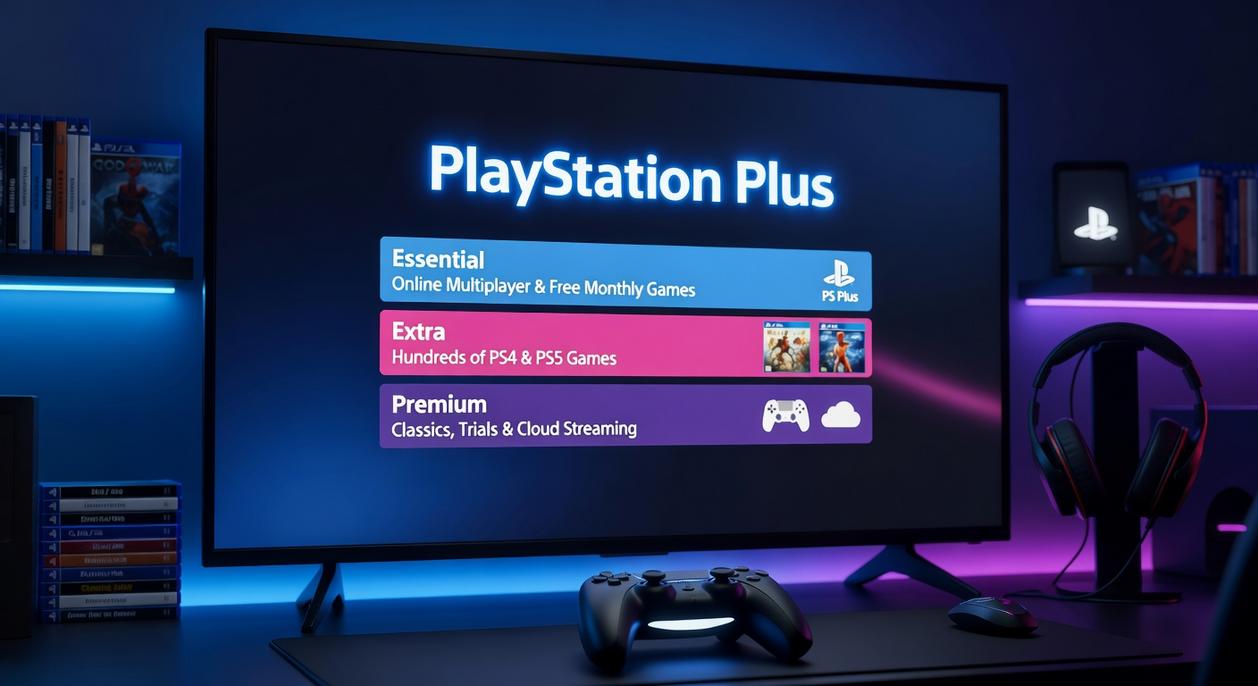
What is PlayStation Plus? A Breakdown of the Tiers
PlayStation Plus is Sony’s paid subscription service that gives you more out of your PlayStation console.
Think online multiplayer, free games every month, and access to a massive game library depending on which tier you pick.
Now, some people argue you shouldn’t have to pay for online play at all. They remember when PlayStation Network was completely free on PS3. And honestly, I get the frustration. Paying for something that used to be free stings.
But here’s the reality. The service has grown way beyond just letting you play online. The question isn’t whether it should be free. It’s whether what you get is worth the price.
Let me break down the three tiers so you can figure out which one makes sense for you.
The Essential Tier: The Foundation of PS Plus
This is the basic package.
You get online multiplayer access for games like Call of Duty or FIFA. Without this, you’re stuck playing solo (which defeats the purpose of most modern games).
You also get two or three monthly games to claim and keep as long as your subscription is active. Some months are better than others, but I’ve grabbed some solid titles this way.
Then there’s cloud storage for your saved data. If your console dies or you upgrade, your progress is safe. Plus you get exclusive discounts in the PlayStation Store.
It’s the bare minimum if you want to play online.
The Extra Tier: The Game Changer
This is where things get interesting.
You keep everything from Essential, but now you get the Game Catalog. We’re talking hundreds of downloadable PS4 and PS5 games you can play whenever you want.
It’s basically Sony’s answer to Xbox Game Pass. The library rotates, so games come and go, but there’s usually enough variety to find something worth playing.
If you’re someone who burns through games quickly or likes trying new titles without dropping $70 each time, this tier starts to make sense. Learning how to play PlayStation Plus dtrgsgaming style means knowing which tier fits your actual gaming habits.
The Premium Tier: The Ultimate Package
This is the full package.
You get Essential and Extra, plus the Classics Catalog. That means PS1, PS2, and PSP games. If you grew up with those consoles, this is your nostalgia trip.
You also get cloud streaming for select titles. No download needed, which is great if your storage is maxed out. And you get time-limited game trials for new releases so you can test before you buy.
It’s the most expensive tier, and honestly, not everyone needs it. But if you want everything Sony offers through dtrgsgaming, this is it.
The right tier depends on how you actually play. Not how you think you’ll play.
Mastering the Core Benefits: A Step-by-Step Tutorial
How to Claim and Keep Your Monthly Games
Here’s what I recommend you do right after you sign up.
Head to your console dashboard and find the PlayStation Plus section. It’s usually right there on the main menu.
Once you’re in, look for the ‘Monthly Games’ tab. You’ll see the current lineup waiting for you.
Here’s the part people mess up. You need to actually claim these games. Just having a subscription isn’t enough.
Click on each game and select ‘Add to Library.’ Takes about five seconds per game.
Now here’s the rule you need to remember. You keep these games as long as your subscription stays active. Let it lapse and you lose access (though you’ll get them back if you resubscribe).
I check this section on the first Tuesday of every month. Set a reminder if you need to.
Unlocking Online Multiplayer
This is probably why most people get PlayStation Plus in the first place.
You can’t play online multiplayer in most paid games without it. Call of Duty, EA FC, Elden Ring. All of them require an active subscription to jump into matches with friends or strangers.
Some people argue that paying for online access feels wrong when PC players get it free. Fair point. But if you want to experience the full gaming world dtrgsgaming has to offer on PlayStation, this is how it works.
My advice? If you mainly play single player games, maybe skip it. But if you’re into competitive shooters or sports games, you’ll use this feature constantly.
Protecting Your Progress with Cloud Storage
This feature saved me once when my console died mid playthrough.
Go to your settings and find the cloud storage options. You want to enable ‘Auto-Upload’ for your game saves right now.
Here’s how to play PlayStation Plus dtrgsgaming smart. Check these settings every few months to make sure they’re still working correctly.
Your saves upload automatically when your console is in rest mode. That means if your PS5 crashes or you upgrade to a new console, all your progress transfers over without you lifting a finger.
I’ve seen people lose 80 hour save files because they didn’t turn this on. Don’t be that person.
Deep Dive: Is the Game Catalog Worth the Upgrade?
Navigating the Game Catalog (Extra & Premium)
Let me walk you through what you actually get here.
The game catalog isn’t just a random dump of old titles. You’re looking at hundreds of games that span everything from big Sony exclusives to third-party hits you probably missed the first time around.
Here’s how to play playstation plus dtrgsgaming smart. Use the filters. Seriously.
Sort by genre when you know what mood you’re in. Check “new additions” every month because Sony rotates games in regularly. And here’s the move most people miss: watch the “leaving soon” section.
Nothing worse than starting a game only to have it disappear from your library halfway through.
The real value? You get access to games like Ghost of Tsushima and Spider-Man without dropping $70 each. That’s hundreds of hours of gameplay for what you’d pay for maybe two new releases.
Exploring the Classics Catalog (Premium Only)
This is where Premium separates itself.
You’re getting PS1, PS2, and PSP games. We’re talking iconic stuff here. RPGs that defined the genre. Platformers you probably played as a kid (or wish you had).
Some people say old games don’t hold up. That you’re just paying for nostalgia.
But here’s what they don’t tell you. Many of these classics come as remasters. Better performance. Trophy support. The games you remember, just smoother.
You’re not just reliving memories. You’re playing legitimately good games that still work today, now with quality-of-life improvements that make them actually enjoyable on modern hardware.
Pro Tips for Power Users
You’ve got your subscription. You know the basics.
But most people don’t realize they’re leaving features on the table that could save them money and time.
Let me walk you through three things that Premium members overlook all the time.
Using Game Trials to ‘Try Before You Buy’
Here’s something I wish I’d known earlier.
Premium gives you access to game trials. Not demos (those short teaser versions). Full games.
You get between two and five hours to play the complete version of new releases. Everything works. Your progress saves. Trophies count.
If you decide to buy after the trial ends, you pick up right where you left off. No starting over.
Think of it this way. You can test a $70 game for free before committing. That’s a pretty good deal when you’re not sure if a title is worth it.
Using Cloud Streaming for Instant Gaming
Downloads take forever sometimes.
Premium members can stream select games from the Game and Classics catalogs instead. No waiting. Just start playing.
It’s not every game (Sony hasn’t made everything streamable yet). But when you want to check out a title quickly, streaming gets you in fast.
One catch though. You need solid internet. If your connection drops or lags, the experience falls apart. I’m talking at least 5 Mbps, but honestly you’ll want more for smooth play.
When you learn how to play playstation plus dtrgsgaming streaming features, you realize it’s perfect for those “I wonder if this is any good” moments.
Hunting for Exclusive Discounts
This one’s simple but easy to miss.
Look for the yellow PS Plus symbol in the PlayStation Store. That little icon means you’re getting an extra discount on top of whatever sale is running.
I’ve seen people buy games at “sale price” without noticing they could’ve saved another 10 or 20 percent.
Before you checkout, scan for that symbol. It stacks with regular sales, which means better prices on games you were buying anyway.
From Subscriber to Superuser
You now have a complete roadmap to every feature PlayStation Plus offers.
From claiming your monthly games to streaming classics from the cloud, you know exactly what’s available and how to access it.
I get it. Paying for a subscription and barely using it feels like throwing money away. You’re not alone in that.
But here’s the thing: PlayStation Plus is more than just a few free games each month. It’s a game-discovering powerhouse that saves you money if you actually use it.
This tutorial showed you how to play playstation plus dtrgsgaming the right way. You’ve got the tools now.
The features are sitting there waiting for you. The Game Catalog alone has hundreds of titles you probably haven’t touched yet.
Here’s what you need to do right now: Log in to your console. Claim this month’s free games before they rotate out. Then spend 10 minutes browsing the Game Catalog to find your next adventure.
Your subscription is already paid for. Make it work for you.
 Founder & Chief Executive Officer (CEO)
HitboxVikram is the founder and CEO of Dtrgsgaming.com, a platform built from his passion for gaming culture and digital storytelling. He created the site to connect esports, casual gaming, and industry innovation into one unified hub. With a strong background in digital media strategy, he leads the overall vision and direction of the company. His work focuses on expanding gaming insights and building a globally relevant content platform. He manages partnerships, brand development, and long-term growth strategies. Dimi’s leadership style combines creativity with structured execution, ensuring the platform evolves consistently. He continues to shape Dtrgsgaming.com into a modern hub for gaming intelligence and trends.
Founder & Chief Executive Officer (CEO)
HitboxVikram is the founder and CEO of Dtrgsgaming.com, a platform built from his passion for gaming culture and digital storytelling. He created the site to connect esports, casual gaming, and industry innovation into one unified hub. With a strong background in digital media strategy, he leads the overall vision and direction of the company. His work focuses on expanding gaming insights and building a globally relevant content platform. He manages partnerships, brand development, and long-term growth strategies. Dimi’s leadership style combines creativity with structured execution, ensuring the platform evolves consistently. He continues to shape Dtrgsgaming.com into a modern hub for gaming intelligence and trends.